

A pH sensor is an essential tool for measuring the acidity or alkalinity of liquids. It plays a crucial role in fields like agriculture, wastewater treatment, and environmental monitoring. With the increasing demand for precise water quality control, knowing how to code a pH sensor is a valuable skill. In this guide, you’ll learn how to code a pH sensor using an Arduino and calibrate it for accurate measurements. We’ll also explore how Leadmed provides high-precision pH sensors for real-time water quality monitoring and integration with various applications.
A pH sensor detects the hydrogen ion concentration in a solution and converts it into an electrical signal that corresponds to a pH value. The pH scale ranges from 0 to 14, with 7 being neutral. Values below 7 indicate acidity, while values above 7 indicate alkalinity. The pH sensor typically consists of a glass electrode and a reference electrode. These electrodes interact with the solution, detecting the voltage difference that correlates with the hydrogen ion concentration.
The pH sensor system consists of:
● pH Probe: Made up of a glass electrode that interacts with the solution and a reference electrode that maintains a stable electrical potential.
● Arduino Integration: The analog output of the pH sensor is connected to the Arduino's analog input pin, allowing it to read the signal and process the data.
Leadmed provides high-precision pH sensors that include features such as temperature compensation and durable electrode designs. These sensors are perfect for providing accurate pH measurements across a variety of industrial and environmental applications.
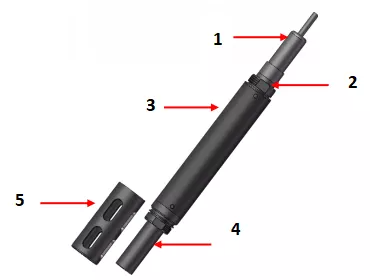
To connect the pH sensor to your Arduino, ensure that the wiring is done correctly for the system to function properly. The pH sensor needs to be connected to the appropriate pins on the Arduino board to read the data accurately. Below are the steps to correctly wire the pH sensor to your Arduino.
Connection | Arduino Pin | pH Sensor Pin | Description |
VCC | 5V (or 3.3V) | VCC | Provides power to the pH sensor. |
GND | GND | GND | Common ground connection. |
Signal (Po) | Analog Pin A0 | Po | Reads the analog signal from the pH sensor. |
Make sure to connect these pins carefully. The VCC pin should be connected to either 5V or 3.3V, depending on the sensor's power requirements. The GND should be connected to the Arduino’s ground, and the Signal (Po) pin should be connected to an analog input pin, such as A0.
Most pH sensors operate within the voltage range of 3.3V to 5V, making them compatible with most Arduino boards. For reliable and consistent operation, it’s important to ensure that your pH sensor is powered by a stable source. Variations in power supply can lead to inaccurate readings and unreliable performance. Always verify your sensor's voltage requirements, as some models may require specific power supplies to work correctly. This ensures optimal performance and accurate data collection for your projects.
To capture the data from the pH sensor, you’ll use the analogRead() function in Arduino. This function reads the voltage from the sensor, which is proportional to the pH value of the solution. This simple command will print the raw value from the sensor to the Serial Monitor, where it ranges from 0 to 1023, corresponding to the 0-5V input.
Once you have the raw analog value, the next step is converting it into a voltage. The formula for this conversion is straightforward, and once you get the voltage, you can use it to calculate the pH. Typically, a neutral pH (pH 7) corresponds to a voltage of 2.5V. From there, you can calculate the pH value.
To map the voltage from the pH sensor to a scale of 0 to 14 (the standard pH scale), you need to perform a conversion from voltage to pH. This process uses a linear equation that maps the voltage output from the sensor directly to the pH values.
Step | Function | Output |
Analog Read | analogRead() | Raw sensor value |
Convert to Voltage | Use conversion formula | Voltage (0-5V) |
Map to pH | Linear mapping equation | pH value (0-14) |
This table summarizes the core steps of reading, converting, and mapping the pH sensor data to the pH scale.
Calibration ensures that the pH sensor gives accurate readings. Without calibration, the pH sensor's readings will not reflect the true pH value of the solution. Calibration typically involves using buffer solutions with known pH values (like pH 4.0, 7.0, or 10.0) to adjust the sensor's output.
To calibrate the pH sensor:
1. Place the sensor in a pH 7.0 buffer solution (neutral).
2. Read the raw pH value from the serial monitor.
3. Adjust the calibration value in the code until the output reads exactly 7.0.
If your sensor has a potentiometer on the board, you can use it for manual calibration.
Tip: Use two-point calibration (using pH 4.0 and pH 7.0 buffer solutions) to ensure more accurate results.
If you notice that the pH sensor is still not accurate after the initial calibration, you can manually adjust the calibration in the code. For example, if your sensor reads 6.5 when immersed in a pH 7.0 buffer, you can adjust the calibration variable in the code by the difference, which is 0.5.
In practice, pH sensors can produce noisy readings. One way to improve accuracy is to average multiple readings to smooth out fluctuations. For instance, you can take ten readings and calculate the average to get a more stable result.
Temperature has a significant impact on pH measurements. As the temperature changes, the pH curve shifts, which affects the readings. Many modern pH sensors, such as those from Leadmed, have integrated temperature compensation to mitigate this issue and provide more accurate readings in varying temperature conditions.
To incorporate temperature compensation, you’ll need to read the temperature using a temperature sensor and adjust the pH calculation accordingly.
Factor | Solution |
Noisy Readings | Average multiple readings to reduce fluctuations. |
Temperature Effects | Use integrated temperature compensation to adjust readings. |
This table highlights the two main strategies for improving the accuracy of pH sensor measurements: stabilizing readings through averaging and compensating for temperature variations.
pH sensors, such as those provided by Leadmed, have broad applications across various industries. Below are two major areas where these sensors are invaluable: water quality monitoring and agricultural use. The table below summarizes their key applications and benefits.
Application | Industry | Benefits |
Water Quality Monitoring | Aquariums, Swimming Pools, Industrial Water Treatment | Maintains optimal pH levels to ensure water quality and prevent contamination. |
Agricultural Use | Farming, Soil Management | Monitors soil acidity for optimal crop growth and yield. |
Tip: For better agricultural monitoring, combine pH sensors with other environmental sensors like moisture or temperature sensors for a comprehensive understanding of soil conditions.
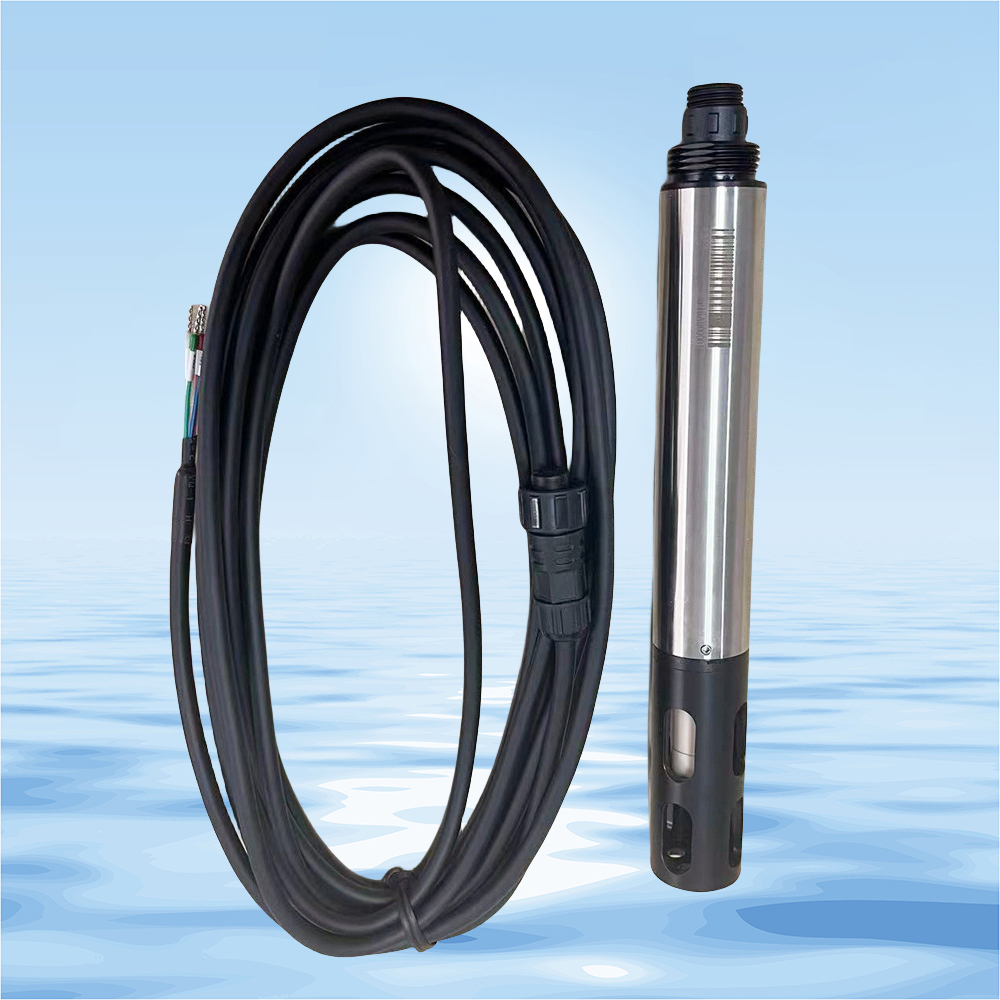
Learning to code a pH sensor with Arduino enables precise pH measurements for various applications. Understanding the sensor’s operation, calibration, and fine-tuning is key to obtaining accurate readings. Experimenting with buffer solutions and integrating pH sensors into projects enhances your skills. Beijing Leadmed Technology Co., Ltd. offers advanced pH sensors, ideal for industries needing continuous, high-precision monitoring. Their products provide reliable solutions for water quality monitoring and agricultural applications, supporting industries with real-time, accurate data.
A: A pH sensor detects the hydrogen ion concentration in a solution and converts this into an electrical signal corresponding to a pH value. The sensor typically includes a glass electrode and a reference electrode, which interact with the solution to measure pH by detecting voltage differences.
A: To code a pH sensor with Arduino, connect the sensor to an analog pin on the board. Use the analogRead() function to capture the raw value, then convert it to voltage and map it to the pH scale (0-14). Calibration is key to ensuring accurate readings.
A: Calibration ensures that the pH sensor provides accurate and reliable readings. Without calibration, the sensor may give incorrect pH values. It typically involves using buffer solutions with known pH values, such as pH 4.0, 7.0, or 10.0.
A: To stabilize pH sensor readings, average multiple measurements to reduce noise. You can also use software filtering techniques to smooth out fluctuations, ensuring that the readings are more consistent and reliable.
A: Yes, pH sensors are widely used in agriculture to monitor soil pH levels. By using a pH sensor, farmers can ensure optimal conditions for plant growth, adjusting soil acidity or alkalinity as needed for different crops.


